
Imaengine School Edition3.1.0 - App Store
You'll be able to see results in few seconds.
Publisher Description
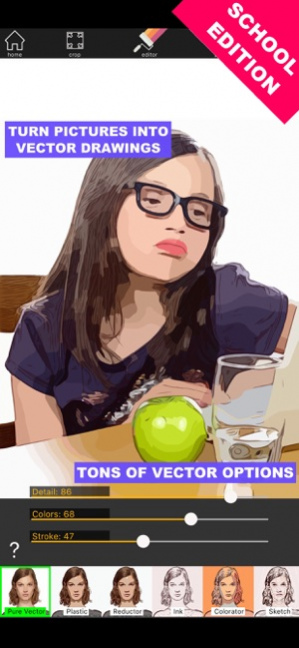
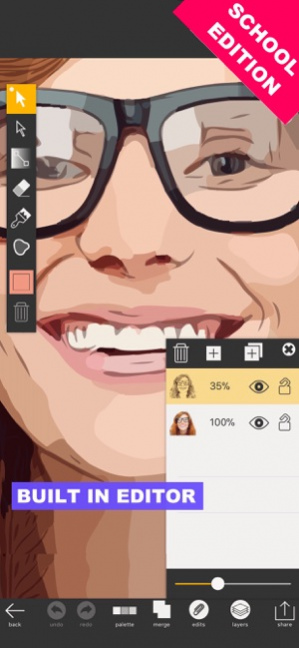
This is the paid version of 'Imaengine Vector' , it's available for Volume Purchase Program for Education, if you wanna try before purchasing please download 'Imaengine Vector' (It's free to download).
There is no functional difference between 'Imaengine School edition' and 'Imaengine Vector'.
Fast, easy and powerfull Raster to Vector image conversion. The definitive COLOR VECTORIZATION TOOL!
With 23 editable filters you can get from a standard vectorization with unlimited colors, or limit colors from 2 up to 32, crispy grayscale images, two-tone stencils, original Pop-Art drawings and amazing polygonal shapes.
Built In editor and custom gallery to store projects.
Record video with rotoscoping-like effect.
Export images in JPG, PNG, PDF and SVG formats.
Share your PDF and SVG files to Adobe Creative Cloud or send them to Adobe Illustrator Desktop.
Upload SVG files to Dropbox or 'Open In' directly in other Vector Apps ( Affinity Designer,Skribl, Inkpad...) or send by email etc..
Save USER PRESETS and share it with Airdrop, email, Dropbox ...
If you like the new features, please leave us a review and some stars! Thanks!
Sep 19, 2019 Version 3.1.0
Critical update to work with iOS 13.
Bugs Fixed.
About Imaengine School Edition
The company that develops Imaengine School Edition is Luis Rivas. The latest version released by its developer is 3.1.0.
To install Imaengine School Edition on your iOS device, just click the green Continue To App button above to start the installation process. The app is listed on our website since 2019-09-19 and was downloaded 0 times. We have already checked if the download link is safe, however for your own protection we recommend that you scan the downloaded app with your antivirus. Your antivirus may detect the Imaengine School Edition as malware if the download link is broken.
How to install Imaengine School Edition on your iOS device:
- Click on the Continue To App button on our website. This will redirect you to the App Store.
- Once the Imaengine School Edition is shown in the iTunes listing of your iOS device, you can start its download and installation. Tap on the GET button to the right of the app to start downloading it.
- If you are not logged-in the iOS appstore app, you'll be prompted for your your Apple ID and/or password.
- After Imaengine School Edition is downloaded, you'll see an INSTALL button to the right. Tap on it to start the actual installation of the iOS app.
- Once installation is finished you can tap on the OPEN button to start it. Its icon will also be added to your device home screen.
Program Details
System requirements
Download information
Pricing
Version History
version 3.1.0
posted on 2019-09-19
Sep 19, 2019 Version 3.1.0
Critical update to work with iOS 13.
Bugs Fixed.
version 2.0.1
posted on 2015-08-10
version 3.1.0
posted on 1970-01-01
19 de sep. de 2019 Version 3.1.0
Critical update to work with iOS 13.
Bugs Fixed.
Disclaimer
Official App Store Link
We do not host Imaengine School Edition on our servers. We did not scan it for viruses, adware, spyware or other type of malware. This app is hosted by Apple and passed their terms and conditions to be listed there. We recommend caution when installing it.
The App Store link for Imaengine School Edition is provided to you by apps112.com without any warranties, representations or guarantees of any kind, so access it at your own risk.
If you have questions regarding this particular app contact the publisher directly. For questions about the functionalities of apps112.com contact us.
